
A shot list is one of the most important documents you’ll create before a production. It tells your camera team exactly which shots you need, in what order, and with what technical requirements — before the camera ever rolls.
Whether you’re directing a short film, a commercial, or a feature, a well-written shot list keeps your crew aligned, your shoot day efficient, and your edit organized.
Here’s how to write one.
What Is a Shot List?
A shot list is a document that breaks down every planned camera setup in your production. It typically lives at the scene level — each scene in your script gets its own list of shots, organized by setup.
Each shot in the list includes:
- Shot number (e.g., Scene 1, Shot A)
- Shot size (wide, medium, close-up, extreme close-up)
- Camera movement (static, pan, tilt, dolly, handheld, etc.)
- Lens (focal length or lens choice)
- Description (what’s happening in the frame)
- Notes (mood, blocking, director’s intent)
Some lists also include status tracking (planned, in progress, completed, retake), which becomes essential on a busy set.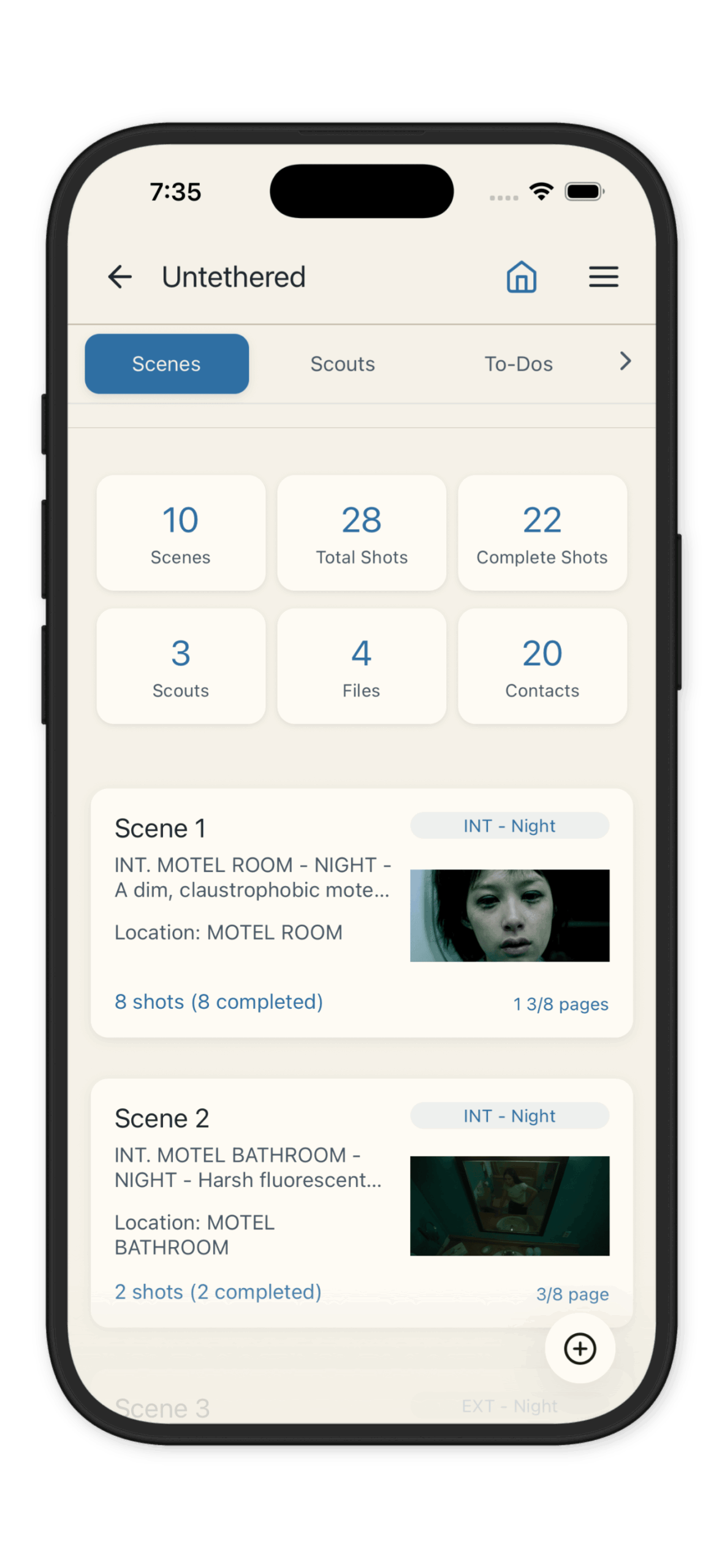
Why Shot Lists Matter
Without a list, your shoot day is guided by memory and improvisation. That works for some filmmakers — but not most.
A list gives you a shared document your DP, AD, and crew can all reference, a realistic schedule so you can estimate how long each setup will take, and a fallback when things go wrong — if you fall behind, you know exactly which shots to cut. Editors and VFX teams often reference shot lists after the shoot to track what was captured.
The best lists aren’t just technical documents. They reflect the director’s vision for each scene — the mood, the movement, the performance moments worth capturing.
How to Structure Your Shot List
The most practical structure is: Project → Scene → Shot.
Start by listing your scenes in script order. For each scene, plan your coverage:
- Establish the space (wide shot)
- Cover the action (medium shots, two-shots)
- Get the details (close-ups, inserts)
- Add creative shots (movement, specialty lenses, unique angles)
Don’t try to plan every shot before you’ve visited the location. Scout first, then build your shot list with the actual space in mind.
What to Include for Each Shot
At minimum, each shot entry should have a shot number (use a letter system per scene: 1A, 1B, 1C, or sequential numbering), a shot size (WS, MS, CU, ECU, OTS, POV), camera movement (static, pan, tilt, push, pull, dolly, handheld, crane), lens choice, a one-sentence description of what’s in frame and what happens, and any notes your DP or AD needs to know.
If you’re working with a larger crew, add columns for camera (A/B cam), page count, and estimated setup time.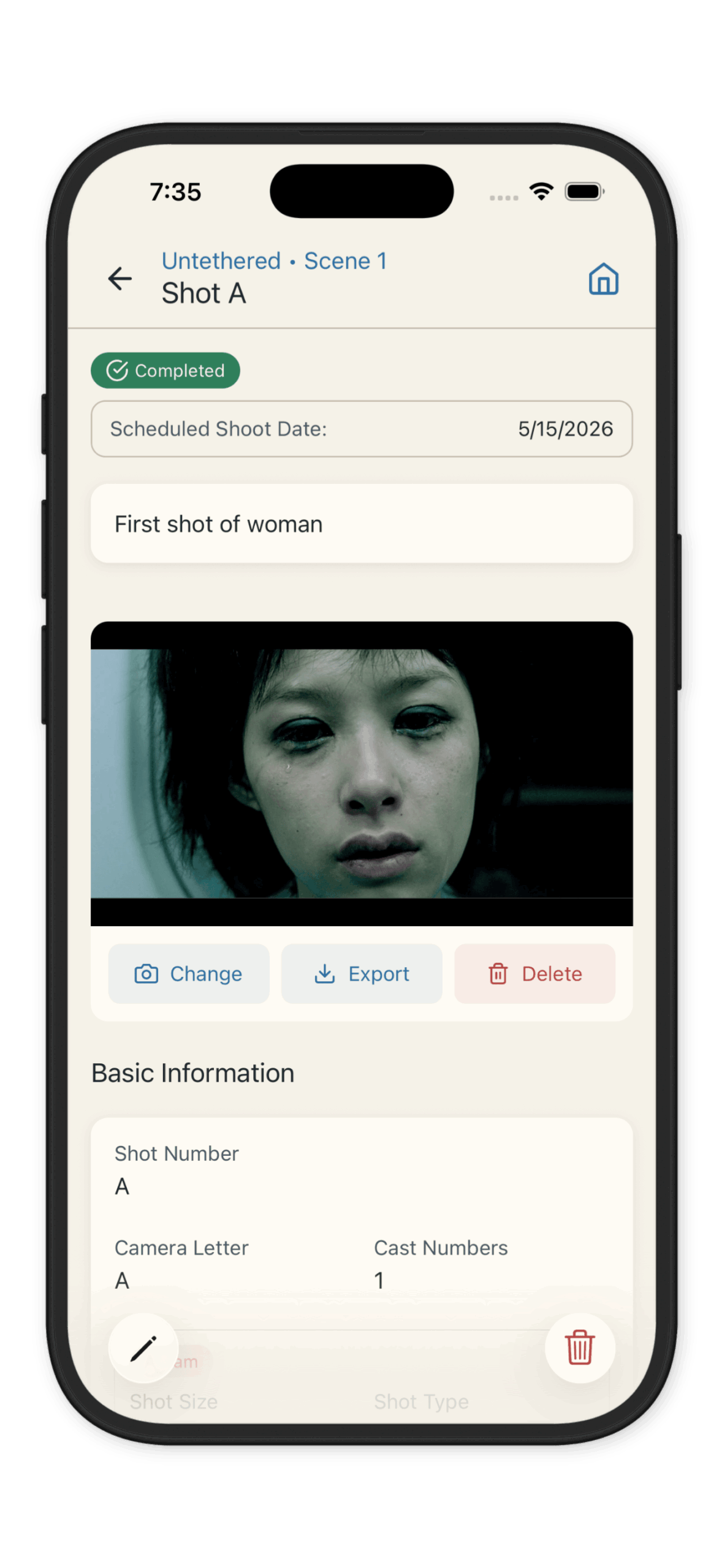
Shot Lists vs. Storyboards
Shot lists and storyboards serve different purposes. A storyboard shows *what* the frame looks like visually. A shot list tells your crew *how* to achieve it.
Many productions use both: storyboards for complex sequences or visual effects shots, and lists for the full production day. Some shot list apps — including CineLog Pro — let you attach reference images and storyboard frames directly to individual shots, so both live in the same place.
How to Build Your Shot List Faster
Spreadsheets work, but they get unwieldy fast. A dedicated shot list app gives you a structured scene-by-shot workflow, status tracking you can update live on set, PDF export for distribution, and sync across your phone, tablet, and laptop.
CineLog Pro is built specifically for this workflow — you can import a Final Draft script to auto-generate your scenes, then build out shots for each one before production begins.
The Bottom Line
A good shot list takes time upfront and saves hours on set. Start with your scenes, plan your coverage, and build in enough detail that your crew can work from it independently.
The goal isn’t to plan every moment — it’s to make sure everyone walking onto set knows exactly what you’re trying to capture.


